Adding a listing on MaldiveOffers.com is simple and easy. First, create an account as an owner.
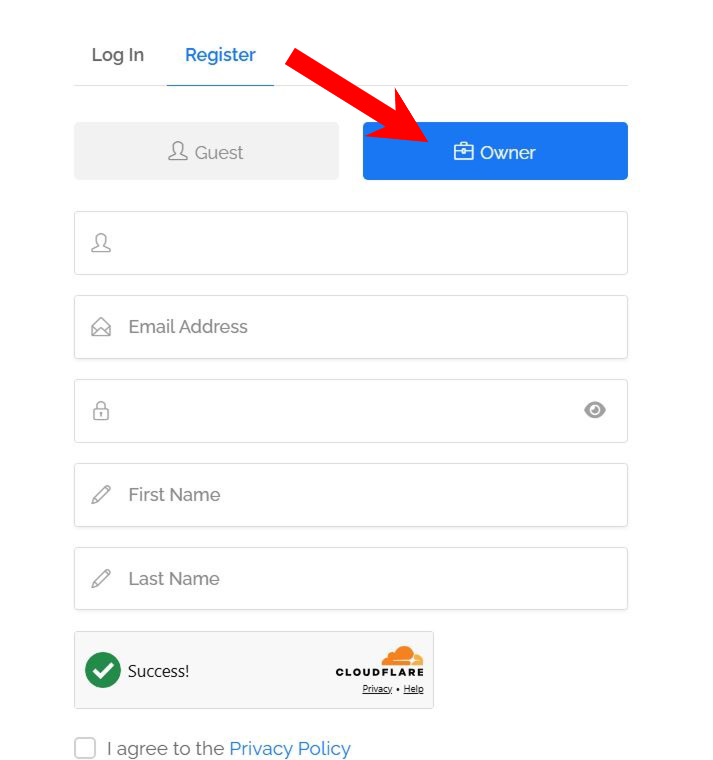
Before Adding a Listing
After creating your account, click my profile:
- Upload a clear profile picture
- Add your WhatsApp number
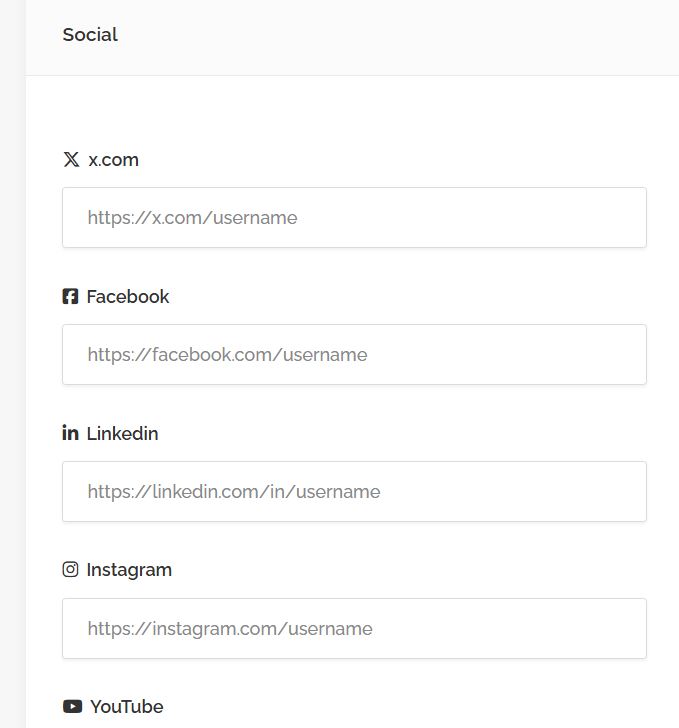
- Link your social media accounts
Next, send a message to our Facebook page to verify your account.
Once your account is verified, you can start adding listings.
How to Add a Listing
If you are using a mobile device:
- Open the Main Menu
- Go to User Panel
- Click “Add Listing”
Then:
- Select your listing type
- Enter your listing information
- Submit your listing
All listings go through an approval process. Once approved, you will receive an email notification.
Existing Listings
Users can also claim existing listings to take ownership of the content. Once ownership is verified, users can:
- Update listing information
- Manage photos and contact details
- Receive direct booking inquiries
- Keep listing content updated and accurate